MagicToy 1.3.0 Feature Context Menu Released
· One min read

There are many open-source tools and built-in macOS automation features that can add items to the context menu. But users' needs go far beyond that.
macOS has a very different design philosophy from Windows, and creating new files in Finder can be a challenge for newcomers.
That's why MagicToy 1.3.0 introduces the Context Menu feature.
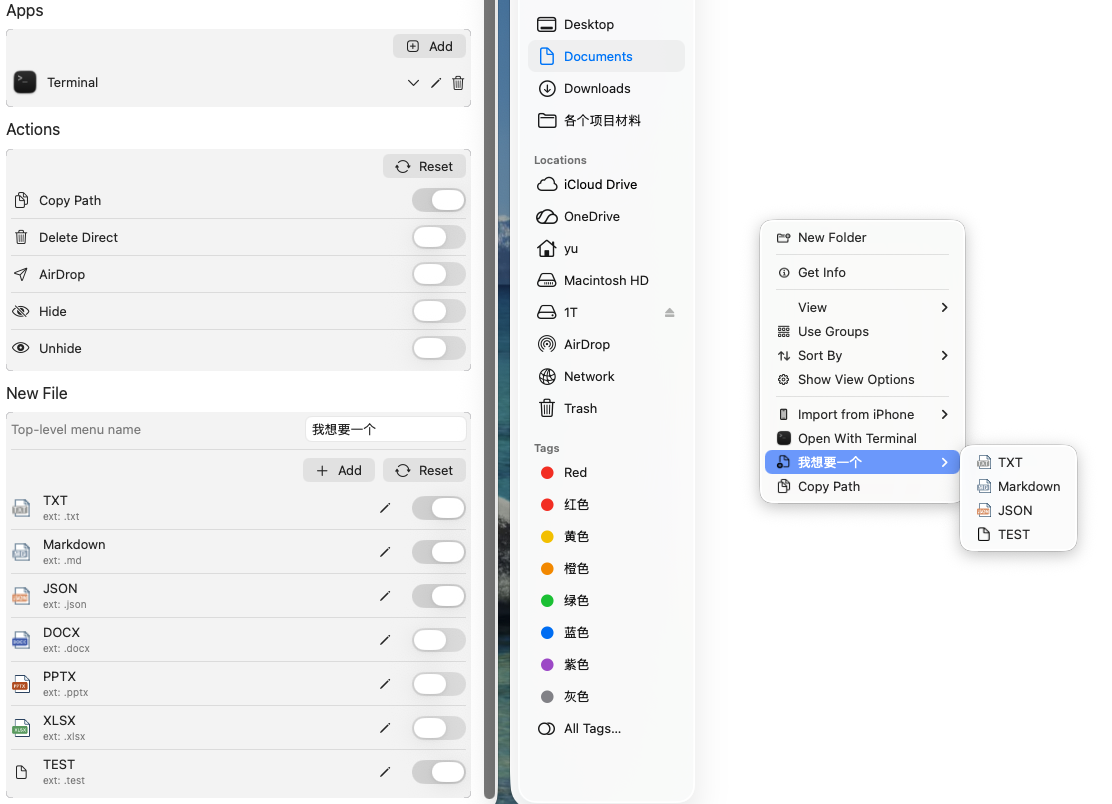
In addition to adding unlimited menu items, you can also rename them, change their icons, and perform actions like copying the path, deleting, hiding files, and opening a terminal at the current location.
Give it a try at https://apps.apple.com/cn/app/magictoy/id6737158347?mt=12